What Is Text-to-Podcast Conversion?
Text-to-podcast conversion is the process of feeding written content into an AI tool that produces a full podcast episode from it. The output isn’t a robotic voice reciting your text — modern AI podcast generators like ZenMic rewrite the content into a natural conversation between two hosts, complete with transitions, rhetorical questions, clarifying asides, and a narrative arc.
Think of it as the difference between a text-to-speech tool (which reads your text out loud mechanically) and a full podcast production assistant. The AI understands what your content is actually saying, extracts the key ideas, structures them as a dialogue, and then voices each line with realistic intonation and pacing.
The source material can be almost anything: a 3,000-word blog post, a 40-page research paper, a weekly newsletter, a set of meeting notes, a company report, or a URL you paste in. The output is a proper podcast episode — an MP3 file with distinct voices, natural conversation, and real listening value.
Text-to-podcast isn’t text-to-speech. It’s closer to having a producer read your content, write a show outline, cast two hosts, and record the episode — all in a few minutes.
This distinction matters because most content doesn’t start out as a podcast. Businesses produce reports. Researchers publish papers. Writers publish newsletters. All of that content can now reach audio-first audiences without anyone picking up a microphone.
Why Convert Text to a Podcast?
Audio isn’t just another format — it has fundamentally different consumption habits than reading. People listen while driving, exercising, cooking, or walking the dog. They simply cannot read in those situations. If your content only exists as text, you’re invisible to a significant portion of your potential audience during the hours they’re most receptive.
The case for audio goes beyond mere availability. Listener behavior is genuinely different from reader behavior — and in some ways significantly better for content creators.
Why Audio Works: The Numbers
Key data points on podcast consumption vs. other formats
Source: Edison Research, 2025
vs. ~20% who finish a long-form article
Time that would otherwise be dead time for content creators
Bars animate on scroll via IntersectionObserver — pure CSS + JS, no external libraries.
Converting your existing text content to podcast episodes is effectively a content amplification strategy with zero additional research time. You write something once, then it reaches people through earbuds, car speakers, and smart speakers — audiences you’d never reach through your blog alone.
There’s also a meaningful SEO angle here. Hosting your podcast episodes on your own site drives listen time and dwell time, which increasingly factor into Google’s ranking signals. Audio embeds on article pages can meaningfully extend average session duration, which benefits the text content itself.
Who benefits most?
- Content marketers who publish articles and want to reach audio-first audiences without hiring a production team
- Researchers and academics who want their papers heard by a wider, non-academic audience
- Newsletter writers who want to give subscribers the option to listen instead of read
- Businesses that need internal content (policy docs, reports, onboarding material) in a format employees will actually consume
- Students turning lecture notes and textbook chapters into audio for revision on the go
- Developers and teams who want to embed audio into their own products via the ZenMic API
How Does Text-to-Podcast AI Actually Work?
The technology here is far more sophisticated than most people realize. Early text-to-speech tools simply converted letters into phonemes and played them back in a synthetic voice. Modern text-to-podcast AI is a completely different category of tool.
Content Ingestion & Parsing
The AI reads your input β plain text, PDF, URL, or pasted notes β and extracts the core ideas, key facts, arguments, and structure. It builds a semantic model of what the content is actually saying, not just what words appear.
Script Generation
The AI rewrites the content as a podcast script β a dialogue between two hosts. It adds conversational transitions, rhetorical questions, examples, and natural-sounding asides. This is where it goes from "reading text" to "making a show".
Voice Assignment & Direction
Each speaker's lines are assigned to a specific AI voice. These neural voices handle emphasis, question intonation, pauses, and rhythm naturally β trained on hours of real human speech.
Audio Rendering
The script renders line-by-line with each voice, then gets stitched together into a single audio track. Pacing, silence between speakers, and any background tone are applied at this stage.
Export & Distribution
The final episode exports as an MP3. With ZenMic, it's also added to your RSS feed automatically β ready to submit to Spotify, Apple Podcasts, and any other platform that accepts RSS.
The critical distinction is that the AI isn’t just vocalizing your text — it’s adapting it for the spoken-word medium. Written content uses visual structure (headers, bullet points, bold text) to guide readers. A podcast can’t use any of that. The AI handles the translation between these two modes, which is what makes the output genuinely listenable rather than just technically "audio."
If you want more control over the script structure before it’s generated, the ZenMic podcast script generator lets you draft the full script yourself and then generate audio from that.
ZenMic vs. Alternatives: What’s the Actual Difference?
There are a few ways to convert text to audio. They are not all created equal. Here’s how the main options stack up:
| Feature | ZenMic | NotebookLM | Generic TTS |
|---|---|---|---|
| Multi-speaker conversation | ✓ Yes | ✓ Yes | ✗ No |
| Editable script | ✓ Yes | ✗ No | ✗ No |
| MP3 download | ✓ Yes | ✗ No | ✓ Yes |
| RSS feed generation | ✓ Yes | ✗ No | ✗ No |
| Spotify / Apple distribution | ✓ Yes | ✗ No | ✗ No |
| 30+ AI voices | ✓ Yes | ✗ No | ~ Partial |
| PDF & URL input | ✓ Yes | ✓ Yes | ~ Partial |
| Free tier available | ✓ Yes | ✓ Yes | ~ Partial |
| API access | ✓ Yes | ✗ No | ~ Partial |
The biggest limitation with tools like NotebookLM’s Audio Overview is the absence of editorial control. You get a conversation, but you can’t review the script beforehand, can’t fix inaccuracies, and can’t download the audio as an MP3. For anyone who needs to publish professionally or distribute to a podcast platform, that’s a non-starter.
Generic TTS tools will technically turn text into audio, but the result sounds like a screen reader, not a podcast. There’s no script rewriting, no conversational structure, no multi-host dynamic. You can dig into this further in our full ZenMic vs NotebookLM comparison.
Step-by-Step: How to Convert Text to a Podcast with ZenMic
Here’s exactly how to go from raw text to a published podcast episode. Most content takes under five minutes from start to MP3.
Open ZenMic Studio
Head to zenmic.com/studio/new. No software to install, no account required to get started. The studio runs entirely in your browser.
Paste your content or drop a file
Paste text directly, upload a PDF, or paste a URL. ZenMic handles articles, blog posts, PDFs, newsletters, research papers, and meeting notes. No formatting required β paste what you have.
Choose your format and voices
Select a conversation style (two-host dialogue, solo narrator, interview) then choose your AI voices from 30+ options. Mix accents, genders, and speaking styles to create a pairing that fits your brand.
Review and edit the script
ZenMic generates a full script in seconds. Read through it. Edit anything that feels off, fix factual nuances, adjust the tone, or add a sponsor read. This is where ZenMic separates itself from every competitor β you have full control before audio renders.
Generate and download
Hit generate. ZenMic renders the episode with your chosen voices. Download the MP3, or publish it directly to your RSS feed for Spotify and Apple Podcasts distribution.
See It In Action
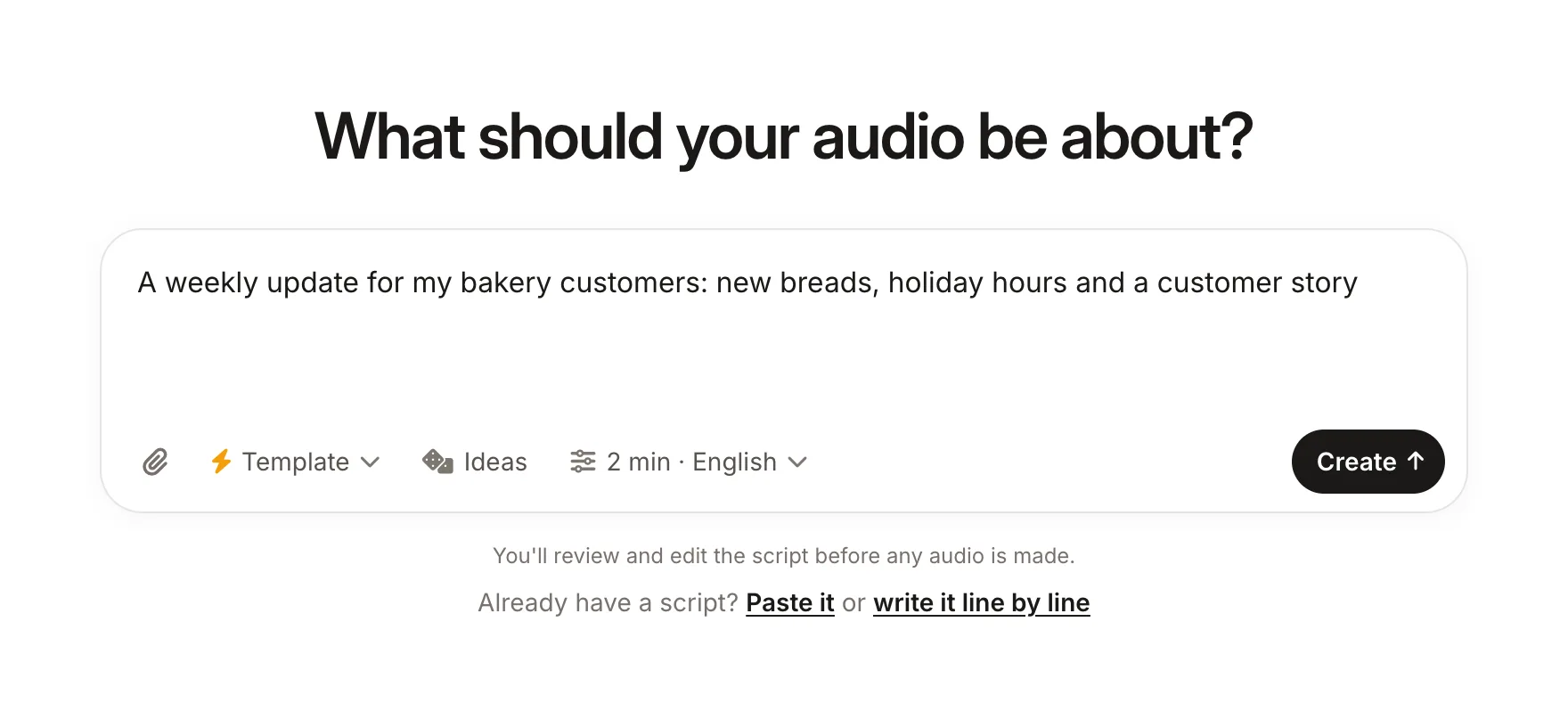
We’ve pre-loaded a topic so you can see exactly how ZenMic transforms text into a podcast episode. No account needed to preview the studio.
Try This in ZenMic Studio →Pre-filled topic: “The Future of Remote Work” — swap it for anything you like
For specific content types, see our guides on converting PDFs to podcasts and turning newsletters into podcast episodes.
Best Use Cases for Text-to-Podcast Conversion
The range of content that works well in audio is broader than most people expect. Here are the formats that convert best — and what makes each one particularly suited to the medium.
Blog Posts & Articles
The most common starting point. Turn each new article into a companion audio episode and embed it on the page. Boosts dwell time and reaches listeners who never would have read the post.
Study Notes & Textbook Chapters
Students convert dense academic material into audio for commute revision. The conversational format makes complex ideas stick better than re-reading.
Newsletters
Many subscribers love the content but struggle to find reading time. An audio version increases your effective "open rate" with audio-first subscribers.
Research Papers & Reports
Dense technical content is hard to read but surprisingly engaging as a conversation. The dialogue format forces the AI to explain concepts clearly, making research accessible to non-specialists.
Corporate Documentation
Policy updates, onboarding guides, product docs, compliance training β employees listen during commutes instead of never opening the PDF.
Meeting Notes & Briefings
Turn a week of meeting notes into a Friday recap episode. Distributed teams stay aligned without adding another calendar invite.
If you’re not sure where to start, blog posts are the lowest-friction entry point since the content is already written with a clear narrative. The podcast script generator is useful if you want more control over the episode structure before sending it to audio. And if you need a name for the show you’re building, our podcast name generator can help with that too.
Content Formats Compared: Text vs. Video vs. Audio
Where does audio actually stand against written articles and video? Here’s a visual benchmark across three key metrics: completion rate, reach potential, and audience engagement. These are qualitative benchmarks based on industry research — exact figures vary significantly by niche and platform.
Content Formats Compared
Relative performance across key content metrics
Completion Rate
% of audience who consume content through to the end
Reach Potential
Organic discoverability across search, social, and directories
Audience Engagement
Active attention, brand recall, and listener loyalty metrics
Chart bars animate on scroll using IntersectionObserver. Pure vanilla JS, no external libraries.
The key insight here is that audio and text are complementary, not competing formats. Text wins on discoverability (SEO, social sharing). Audio wins on completion rate and engagement once someone starts consuming. Video sits between the two but demands significantly more production effort and budget. Converting your existing text to audio is the highest-ROI way to add an audio layer to your content strategy — because the raw material already exists.
If you’re new to podcasting and want to understand the broader landscape before diving in, our guide on how to start a podcast covers format choice, distribution strategy, and everything else you’ll need. And if you want a ready-made structure for your first episode, the podcast outline template is a good starting point.
Frequently Asked Questions
Turn Your Next Article Into a Podcast
Paste any text and ZenMic will generate a two-host conversation, let you edit the script, and export a broadcast-quality MP3 — all for free.
Try ZenMic Free — No Sign-Up Needed →Free tier includes MP3 download · 30+ AI voices · Full script editing · RSS feed