Turn Notes into a Podcast
Paste your notes into ZenMic and click Create. The AI turns bullet points into a two-host conversation. You read the script and fix anything, then it voices each host. You get an MP3, a read-along transcript and a link to share. It takes a few minutes. No microphone, no recording.
- Paste your notes. Paste them into the box below, or attach a PDF, text file or photo of them. Bullet points and half-sentences are fine.
- Pick length and language. Set how long the episode should be and which language it should be in. Add a line like "for a quiz on Friday" to steer the hosts.
- Check the script. ZenMic writes a two-host conversation from your notes. Fix a name, a number or a definition before any audio is made.
- Generate and listen. Each host gets a voice. Play it with a read-along transcript, download the MP3, or add it to a Project with its own RSS feed.
What Happens to Your Notes
Messy notes go in. A conversation comes out. The hosts explain what your shorthand means.
- glucose + O2 → CO2 + H2O + ATP
- 3 stages: glyco (cyto), Krebs, ETC (mito)
- ETC = most ATP
- no O2 → ferment, 2 ATP
-
- EXAM: where each stage!!
Maya: Where does each stage happen?
Leo: Glycolysis in the cytoplasm. The Krebs cycle and the transport chain in the mitochondria.
Maya: And with no oxygen?
Leo: Fermentation. Just 2 ATP.
Cellular respiration, exam recap · 2 hosts
How Do I Turn My Notes into a Podcast?
Use the box above. Paste the notes, click Create, and check the script. That's the whole job. The studio below is what you'll see next.
Paste your notes
Paste them into the box below, or attach a PDF, text file or photo of them. Bullet points and half-sentences are fine.
Pick length and language
Set how long the episode should be and which language it should be in. Add a line like "for a quiz on Friday" to steer the hosts.
Check the script
ZenMic writes a two-host conversation from your notes. Fix a name, a number or a definition before any audio is made.
Generate and listen
Each host gets a voice. Play it with a read-along transcript, download the MP3, or add it to a Project with its own RSS feed.
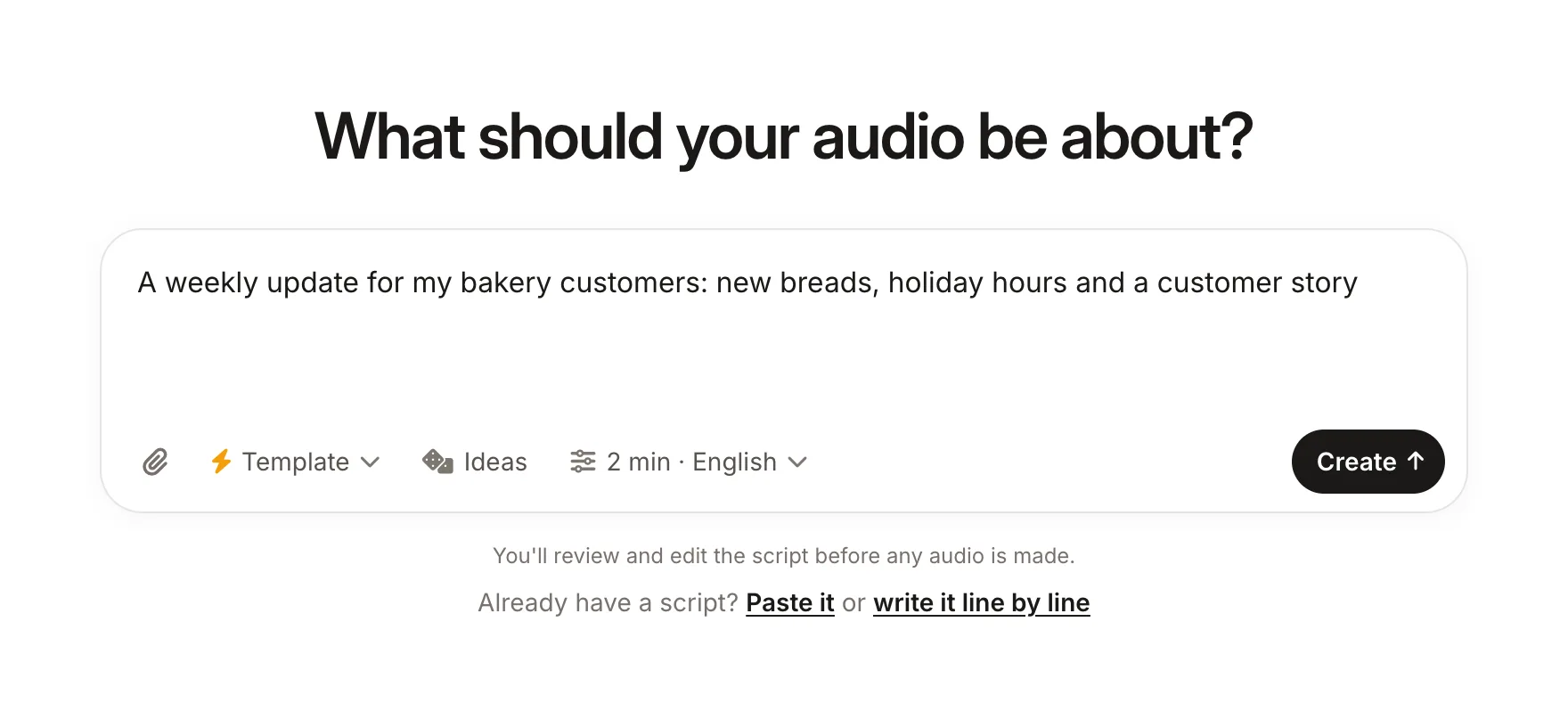
Example: Lecture Notes Turned into a Study Podcast
These are real-looking notes from a first-year biology lecture: arrows, abbreviations, a reminder in capitals. Below them is the script ZenMic writes from them. Press Generate This Audio to hear it in the studio.
The notes (pasted as-is)
BIO 101 - Lecture 7: Cellular respiration
- glucose + O2 -> CO2 + H2O + energy (ATP)
- 3 stages: glycolysis (cytoplasm), Krebs cycle (mitochondria), electron transport chain (mitochondria)
- ETC makes most of the ATP
- no O2 -> fermentation, only 2 ATP per glucose
- exam: know WHERE each stage happens!!
The Script ZenMic Writes (2 speakers)
What Notes Can You Turn into a Podcast?
Anything you can paste as text. Shorter, focused notes make better episodes. One lecture, one meeting or one chapter per episode works best.
Lecture and class notes
Hear the lecture again on the bus. Ask the hosts to explain each term in plain words.
Study notes and flashcards
Ask for a quiz format: one host asks, the other answers. Good for the night before an exam.
Meeting notes
A short recap of decisions, owners and deadlines for people who missed the call.
Book and reading notes
Your highlights become a short book-club chat about the ideas that stuck.
Research notes
Paper summaries and literature notes explained for colleagues or students.
Outlines and rough ideas
An episode outline or blog draft turned into a first version you can listen to.
Want tips for each kind of note, including how to write a meeting recap people actually finish? Read the step-by-step guide to turning meeting, lecture and study notes into a podcast. Studying for an exam? See how to use AI podcasts for studying.
Notes to Podcast FAQ
How do I turn my notes into a podcast? +
Paste your notes into ZenMic, pick a length and a language, and click Create. The AI turns the notes into a two-host script. Edit any line, then generate the audio. You get an MP3, a read-along transcript and an optional RSS feed.
Is there a free way to turn notes into a podcast? +
Yes. ZenMic has a free trial with 5 minutes of audio and no credit card. Free episodes are up to 2 minutes each, which fits a short recap. Paid plans make episodes up to 10 minutes.
What kind of notes work? +
Lecture notes, study notes, meeting notes, book notes, research notes and rough outlines. Bullet points, shorthand and messy lists all work. The AI fills in the sentences, so you do not need to tidy anything first.
Can I turn handwritten notes into a podcast? +
Yes, if they are readable. Attach a clear photo or a scanned PDF of the page. Neat handwriting works best; messy handwriting can be misread, so check the script before you generate the audio. Typing or pasting the text is the most reliable.
Can I upload a recording of my meeting or lecture? +
No. ZenMic does not transcribe audio recordings. Paste your written notes, or the text transcript from your meeting or lecture tool, and ZenMic turns that into an episode.
Can I edit what the hosts say? +
Yes. ZenMic always shows you the script first. Change any line, cut parts, rename the hosts or switch to one narrator, then generate the audio.
Can I listen on my phone or share it with my team? +
Yes. Download the MP3 to any device, share a link, or put your episodes in a Project. Each Project has an RSS feed you can open in a podcast app or submit to Spotify and Apple Podcasts.
Turn Your Notes into a Podcast
Paste your notes and hear them as a two-host episode in a few minutes. 5 free minutes, no credit card.
Open the Studio with My Notes →More Ways to Turn Writing into Audio
How to Turn Meeting Notes into a Podcast
The how-to guide for meeting, lecture and study notes, with a worked example.
Text to Podcast
Turn any article, essay or draft into an episode, and how to generate a podcast online.
PDF to Podcast
Upload a PDF of your notes or slides and get a two-host episode.
How to Convert a PDF to a Podcast
Tips for reports, papers and scanned PDFs.
AI Podcasts for Studying
Use audio to revise lecture notes and textbook chapters.
Blog Post to Podcast
Turn a published post into a companion episode.
RSS to Podcast
Turn a blog or newsletter feed into episodes.
Free AI Podcast Generator
Start with one sentence and get a full episode.
NotebookLM Alternative
When you need to edit, download and publish the audio.