How to Turn Meeting, Lecture or Study Notes into a Podcast
Short answer: paste your notes into an AI podcast tool like ZenMic and say what you want, such as "a 2-minute team recap". The AI writes a two-host script from the notes. You check names, numbers and dates, then generate the audio. Share the MP3 or a link. No microphone, no recording.
Clean up the notes a little. Keep decisions, owners, dates and open questions. Delete anything private. Bullet points are fine.
Paste them into ZenMic. Open the studio, paste the notes, and add one line on what you want, for example "a 2-minute recap for the team".
Check the script. ZenMic writes a two-host recap. Check every name, number and date, and fix any line before the audio is made.
Generate the audio. Each host gets an AI voice. Listen in the browser with a read-along transcript.
Share it. Download the MP3 for Slack or email, share a link, or add it to a Project so the team can follow its RSS feed.
Notes are written to be read once and forgotten. A short audio recap gets heard. Teammates play it on a walk. Students replay a lecture on the bus. This guide shows how to do it for the three most common kinds of notes: meetings, lectures and study notes.
Leo: A payment bug. Priya owns the fix, due Friday.
Maya: Any decisions?
Leo: No new features until launch.
→
After · 2-min team recap
Product sync recap · 2 hosts
MP3 for Slack or email · share link · transcript
How Do I Turn My Meeting Notes into a Podcast?
Paste the notes into ZenMic and ask for a short recap. The AI writes a two-host script. You check it, generate the audio and share it. Here is what makes a meeting recap worth listening to.
1. Keep the four things people need
Decisions: what was agreed.
Owners: who does what.
Dates: when it is due.
Open questions: what is still undecided.
Everything else is optional. Delete side chats, salaries, customer names and anything else you would not post in a team channel.
2. Tell the hosts who is listening
Add one line above the notes, for example: "2-minute recap for the design team, who missed the call. Start with the launch date change." The hosts lead with what matters to that audience.
3. Check every name and date
The AI writes from your notes, so a typo in the notes becomes a typo in the audio. Read the script once. Fix any line in place. It takes a minute.
4. Share it where the team already is
Download the MP3 and drop it in Slack, Teams or email. Or share a link. For a weekly series, put the recaps in one Project; it gets an RSS feed people can follow in a podcast app.
Have a recording, not notes? ZenMic doesn't transcribe audio. Use the text transcript your meeting tool made, or your written notes.
Worked Example: Meeting Notes to a Two-Minute Recap
These are the notes from a product meeting, pasted as they were typed. Below them is the script ZenMic writes. Press Generate This Audio to open it in the studio and hear it.
The meeting notes
Product sync - 14 Oct
- Beta launch moved Oct 28 -> Nov 4 (payment bug)
- Priya owns payment fix, ETA Fri
- Support: login emails = top complaint last week
- DECISION: no new features until launch
- Sam: draft launch email by Thu
- open q: do we email waitlist before or after launch?
The Recap Script (2 speakers)
Maya: Here's your two-minute recap of the product sync. Leo, start with the big news.
Leo: The beta launch has moved. It was October 28. It's now November 4.
Maya: Why the delay?
Leo: A payment bug. Priya owns the fix and expects to have it done by Friday.
Maya: What else came up?
Leo: Support. The top complaint last week was login emails, so expect a few more of those tickets.
Maya: And there was one firm decision.
Leo: No new features until launch. Anything new waits until after November 4.
Maya: Action items?
Leo: Sam drafts the launch email by Thursday.
Maya: And one open question for next time: do we email the waitlist before launch or after?
Leo: Bring your opinion to the next sync. That's the recap.
Want your own version? The AI writes a fresh script and casts a voice for every speaker.Make a New One Like This →
🔒 zenmic.com/studio/
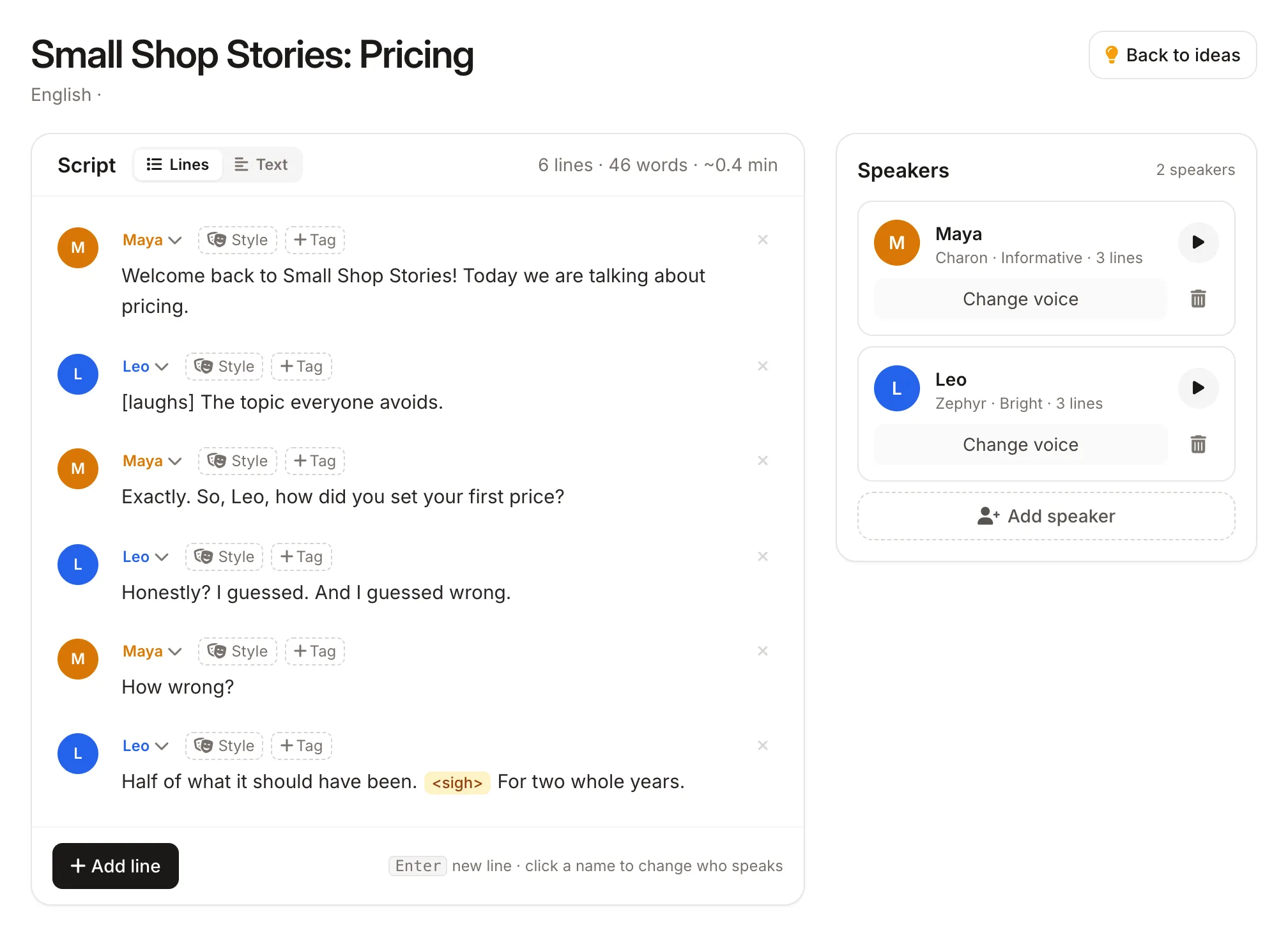
Every line of the AI-written script is editable, with a voice for each speaker
This is the script screen. Every line is editable, and each speaker has their own voice.
How Do I Turn Lecture Notes into a Podcast?
Do one lecture per episode. Paste the notes, or attach a PDF of the slides or a clear photo of handwritten pages. Then ask the hosts to teach it.
Ask for plain words. "Explain every term as if I missed the lecture."
Spell out abbreviations once. Write "ETC = electron transport chain" so the hosts say it right.
Mark what the lecturer stressed. "EXAM" or "important" in your notes tells the hosts what to repeat.
NotebookLM can make an audio overview of your sources, which works well for private study. ZenMic is built for when you want to change the result: edit any line of the script, choose the voices, set the length, and publish episodes to a podcast feed. See the NotebookLM alternative guide for the details, or compare tools in the best AI podcast generators.
Tips for Better Episodes from Notes
One topic per episode. A whole semester in one episode becomes a list. One lecture becomes a lesson.
Say who it's for. "For the sales team" and "for a first-year student" produce very different scripts.
Keep it short. Two to five minutes is enough for most notes.
Pick another language if you need it. Notes in English can become an episode in Spanish or Hindi; ZenMic speaks over 100 languages.
Notes to Podcast: Questions and Answers
How do I turn my meeting notes into a podcast?+
Paste the notes into ZenMic and ask for a short team recap. The AI writes a two-host script covering decisions, owners and deadlines. Check names and dates, generate the audio, then share the MP3 or a link. It takes a few minutes and no microphone.
Can ZenMic turn a meeting recording into a podcast?+
No. ZenMic does not transcribe audio recordings. Paste your written notes, or the text transcript your meeting tool already made, and ZenMic writes and voices the recap from that.
How long should a meeting recap podcast be?+
Short. Two to five minutes covers most meetings: what was decided, who does what, and by when. Free trial episodes are up to 2 minutes; paid plans go up to 10.
Can I turn lecture notes into a podcast?+
Yes. Paste one lecture at a time and ask the hosts to explain each term in plain words. You can also attach a PDF of the slides or a clear photo of handwritten notes.
How do I make a study podcast from my notes?+
Paste your study notes and ask for a quiz format: one host asks a question, the other answers it. End with a recap of the points most likely to be on the exam.
Is the episode private?+
Yes, by default. Your script and audio are saved in your account and stay private unless you publish them. Remove anything confidential from the notes before you paste them.
Do I need to rewrite my notes first?+
No. Shorthand, arrows and half-sentences are fine. The AI writes full sentences. Do spell out names and acronyms once, so the hosts say them correctly.
Is it free?+
You can try ZenMic free with no credit card. The free trial includes a few minutes of audio, enough for a short recap.
Turn Your Notes into a Podcast Now
Paste meeting, lecture or study notes and hear them as a two-host episode in a few minutes. Free to try, no credit card.